Evolution of AI Assistants Beyond Voice Commands Key Takeaways
The journey from primitive voice commands to today’s intelligent, proactive assistants is one of the most remarkable technology shifts of the past decade.
- Evolution of AI Assistants Beyond Voice Commands moves from simple voice queries to rich, context-aware interactions that combine text, visuals, and real-time data.
- Leading platforms like Google Gemini and Apple Intelligence exemplify how AI assistants now reason across modalities, execute complex tasks, and integrate deeply into operating systems.
- Businesses and developers must adapt to AI-first user experiences, where conversational AI , AI automation , and semantic understanding replace traditional app navigation and search behavior.
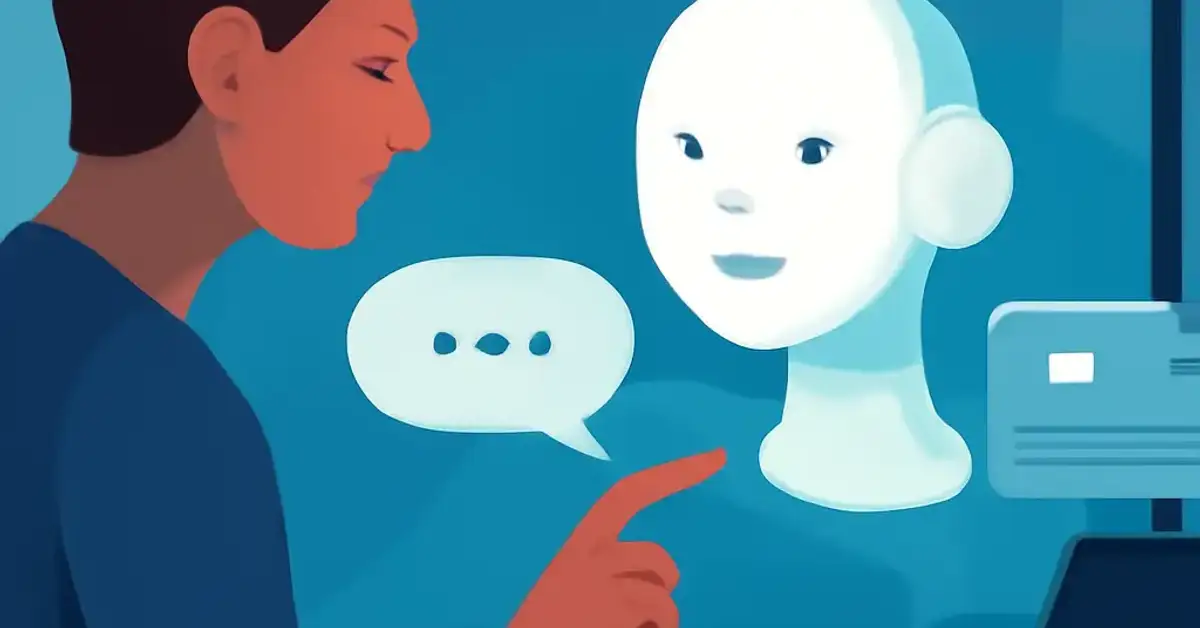
What Readers Should Know About the Evolution of AI Assistants Beyond Voice Commands
The journey from primitive voice commands to today’s intelligent, proactive assistants is one of the most remarkable technology shifts of the past decade. Early voice assistants like Siri (launched in 2011) and the Google Assistant (2016) could set timers, answer simple questions, and control a few smart devices. But they lacked true understanding. They parsed keywords, not context. They could not see or read. They operated in a silo of short, single-turn commands.
Fast-forward to 2025, and the landscape looks radically different. AI assistants today are powered by generative AI models that can write essays, analyze images, hold multi-turn conversations, and even take actions on behalf of the user — booking reservations, filling forms, or managing complex project workflows. This is not a gradual improvement; it is a fundamental leap in capability and ambition.
At the heart of this transformation lies multimodal AI — the ability for an assistant to process and generate content across text, images, audio, and video in a single, unified interaction. For example, you can now show your phone a picture of a broken bike chain and ask, “How do I fix this?” The assistant sees the image, understands the context, and provides step-by-step repair instructions. This kind of interaction was science fiction just a few years ago.
Two platforms stand out in driving this change: Google’s Gemini Live and Apple Intelligence. Both represent distinct philosophies — Google leans on massive cloud AI models with real-time web integration, while Apple emphasizes on-device AI for privacy and speed. Together, they are setting the standard for what users expect from an intelligent assistant.
For technology professionals, software developers, and business leaders, understanding this AI evolution is not optional. It affects how products are built, how customers interact, and how companies compete. The future of AI interaction is multimodal, proactive, and deeply integrated into every layer of computing.
The Chronological Evolution: From Voice Commands to Multimodal Interaction
Phase 1: The Age of Voice Assistants (2011–2018)
The first generation of digital assistants was defined by voice. Siri, Google Assistant, and Amazon Alexa brought voice control to the mainstream. These systems relied on natural language processing (NLP) to parse user intent, but they were fundamentally brittle. A query like “Play music by The Beatles” worked; a follow-up like “Play something similar” often failed because the assistant lacked conversational memory.
These early assistants were also domain-limited. They could handle weather, alarms, and simple web searches, but they could not reason, infer, or learn from context. They were tools, not collaborators. Despite these limitations, they educated the public on the concept of talking to machines and laid the groundwork for more advanced systems.
Phase 2: Conversational AI and Context Awareness (2019–2022)
The introduction of large language models (LLMs) like GPT-3 in 2020 marked a turning point. Suddenly, conversational AI could maintain context across multiple turns, understand nuanced requests, and generate human-like responses. Google’s LaMDA and later Bard (now Gemini) brought this capability to search. Amazon Alexa and Apple Siri began incorporating neural network models for better speech recognition and response generation.
During this phase, AI agents started emerging — not just answering questions but taking actions. For example, a user could ask, “Book a table for two at an Italian restaurant near me this Friday at 8 PM,” and the assistant could query restaurant APIs, confirm availability, and complete the reservation end-to-end. This was a monumental shift from passive Q and A to active task completion.
Phase 3: Multimodal AI and the Rise of AI Ecosystems (2023–Present)
Today, we are in the third phase. Multimodal interaction allows assistants to accept input from any modality — text, voice, image, video, or even screen context — and respond in kind. Google’s Gemini models natively process text, images, audio, and code. Apple Intelligence uses on-device models to understand screen content, generate custom emojis, and summarize notifications without sending data to the cloud.
This phase is characterized by cross-device integration. An AI assistant on your phone can now continue a task on your laptop or smart glasses. It knows your calendar, your recent chats, and your browsing history (with permission) and uses that context to offer proactive suggestions. This is no longer just an assistant; it is an AI ecosystem that spans every device you own.
The evolution of AI assistants beyond voice commands is therefore not just about adding new input methods. It is about creating a seamless, intelligent layer that anticipates needs, executes complex workflows, and adapts to individual behavior over time.
Deep Dive: The Technologies Powering Modern AI Assistants
Natural Language Processing and AI Reasoning
Natural language processing continues to be the backbone of any AI assistant. But modern NLP goes far beyond keyword matching. Today’s models use transformer architectures (like BERT, GPT, and Gemini) that understand semantic relationships, idiomatic expressions, and even sarcasm. They can perform AI reasoning — breaking down a complex request into sub-tasks, evaluating options, and selecting the best response.
For example, when you ask, “What’s the best time to leave for the airport given today’s traffic?” the assistant must combine real-time traffic data, your flight time, average security wait times, and your location — and then reason about the optimal departure window. This requires both factual knowledge and logical inference.
Multimodal AI: Understanding Text, Images, Audio, and Video
Multimodal AI is the single most transformative capability in the current generation of assistants. It allows the assistant to “see” the user’s world. Here is how each modality contributes:
- Text: Natural language input for commands, questions, and instructions. The assistant can also generate text — emails, summaries, code, creative writing — with high fluency.
- Images: The assistant can analyze a photograph, a screenshot, or a scanned document. For instance, you can snap a photo of a plant and ask, “What is this species?” or take a screenshot of a receipt and say, “Add these expenses to my budget spreadsheet.”
- Audio: Beyond voice commands, the assistant can identify music, transcribe conversations, and generate speech with natural tone and emphasis. Some assistants can even detect emotion in the user’s voice and adjust responses accordingly.
- Video: Real-time video analysis is emerging. You could point your phone camera at a machine and ask, “How do I use this?” The assistant recognizes the object, reads the interface, and walks you through the steps.
This convergence of modalities means users are no longer limited to a single channel. You can start a query with your voice, refine it with text, and confirm the result with an image — all within the same conversation thread. The assistant keeps track of the full context.
On-Device AI vs. Cloud AI: A Strategic Balance
One of the most important architectural decisions in modern AI assistants is where processing happens. On-device AI runs models directly on the user’s phone, laptop, or smart speaker. It offers low latency, offline capability, and strong AI privacy — sensitive data never leaves the device. Apple Intelligence exemplifies this approach, with many models sized to run efficiently on the Neural Engine of recent iPhones and Macs.
Cloud AI, on the other hand, leverages vast server clusters to run much larger models. Google Gemini, for example, uses cloud resources to access up-to-date web data, perform complex reasoning, and generate detailed content. The trade-off is that queries must be sent over the internet, introducing latency and privacy considerations.
Most advanced assistants now use a hybrid approach: on-device models handle simple or sensitive tasks, while cloud models are invoked for complex requests. This ensures speed and privacy for everyday interactions while preserving the power of large-scale AI for challenging tasks.
Google Gemini and Apple Intelligence: Two Visions for the Next Generation
Google Gemini: The Cloud-Native, Multimodal Powerhouse
Google’s Gemini Live is the company’s flagship AI assistant experience. It is built on the Gemini family of models, which are designed to be multimodal from the ground up. Unlike earlier assistants that treated text and vision as separate pipelines, Gemini processes everything natively in a single model architecture. This allows it to perform tasks like:
- Analyzing a student’s handwritten math problem and providing step-by-step guidance.
- Watching a live cooking video and extracting the recipe.
- Composing an email that references an attachment (like a PDF) and a web page simultaneously.
Gemini Live also emphasizes AI-powered search integration. When you ask a question, Gemini can pull real-time information from Google Search, surface AI Overviews at the top of results, and even generate a conversational summary. This represents a direct challenge to traditional search engine result pages, transforming answer engine optimization into a critical skill for SEO and content professionals. For a related guide, see Google Search Generative Experience (SGE) Strategy for Marketers.
For developers, Google provides the Gemini API, which supports multimodal inputs and can be embedded into third-party apps, services, and workflows. This extends the assistant’s reach far beyond Google’s own products.
Apple Intelligence: Privacy-First, On-Device Intelligence
Apple Intelligence takes a radically different approach. Instead of relying on cloud-based giant models, Apple focuses on on-device AI that respects user privacy. The system runs a 3-billion-parameter language model, image generation models, and a semantic understanding engine entirely on the device’s Neural Engine. Key capabilities include:
- Writing tools: The assistant can rewrite, summarize, and proofread text across any app, from Mail to Notes to third-party applications.
- Image Playground: Users can generate custom emojis and images based on their messages, all processed locally.
- Screen awareness: The assistant can understand what is currently on your screen and offer contextual actions—like extracting a phone number from a screenshot and offering to save it to Contacts.
- Priority notifications: The system uses on-device understanding to surface the most important alerts and summarize them in natural language.
Apple Intelligence also introduces Private Cloud Compute, which lets the device determine when it needs off-device horsepower. When a cloud model is used, Apple encrypts the data, processes it in dedicated secure servers, and never stores or logs the user’s information. This hybrid model gives users the best of both worlds: privacy for sensitive data, cloud power for complex tasks. For a related guide, see 7 Ways Apple Is Expanding Its AI Ecosystem (And Why It Matters for Your Devices).
Both Google Gemini and Apple Intelligence represent the cutting edge of the AI assistants evolution, but they cater to different priorities — ecosystem breadth versus privacy depth. For businesses building on these platforms, the choice affects everything from data architecture to user trust.
How AI Assistants Are Changing Productivity and User Experience
AI Productivity: Automating Multistep Workflows
One of the most significant impacts of modern AI assistants is on AI productivity. In the past, productivity apps required manual input — switching between windows, copying and pasting data, filling in forms. Now, an AI assistant can orchestrate entire workflows across multiple apps. For example:
- “Summarize this email thread, draft a reply, and add a task to my project board in Notion.”
- “Find the Q3 sales report in Drive, extract the key figures, create a chart, and paste it into this deck.”
- “Scan my calendar for free slots this week, find a restaurant near the office, and book a team lunch for Friday.”
These workflows rely on AI agents — autonomous software that can plan, execute, and verify multi-step tasks. Unlike earlier assistants that only responded to direct commands, AI agents can break down a high-level goal into sub-actions, call APIs, and iterate until the task is complete. This level of AI automation is transforming knowledge work, allowing professionals to focus on strategic decisions rather than repetitive operations.
User Experience: From Reactive to Proactive
Modern AI assistants are also shifting from reactive to proactive user experience. Instead of waiting for a command, the assistant observes behavior and offers help before being asked. For instance:
- If you frequently check traffic at 8 AM, the assistant may proactively show commute times before you ask.
- If you receive a meeting invite, the assistant can suggest available slots, prepare a briefing document about the attendees, and even set reminders.
- If you pause while typing an email, the assistant might offer to rephrase a sentence or suggest an attachment.
This proactive intelligence requires the assistant to have a deep understanding of user habits, preferences, and context — which raises important questions about AI privacy and AI security. Users must trust that their data is being used responsibly. Both Google and Apple are investing heavily in transparent consent frameworks and differential privacy techniques.
Cross-Device Integration and the Rise of AI Ecosystems
The best AI assistants are no longer confined to a single device. Cross-device integration allows a user to start a conversation on their phone, continue it on their laptop, and receive a notification on their smartwatch. Apple’s ecosystem (iPhone, Mac, iPad, Apple Watch, Vision Pro) is designed for this seamlessness. Google is pursuing a similar unified experience across Android, Chrome, Workspace, and Nest devices.
This AI ecosystem creates powerful network effects: the more devices you use, the smarter your assistant becomes. It learns your routines across contexts — work, home, travel — and adapts suggestions accordingly. For businesses, this means designing products that play well within these ecosystems, integrating with the assistant APIs to offer rich, cross-device experiences.
Will AI Assistants Replace Traditional Apps and Search Engines?
This is one of the most debated questions in technology today. On one hand, AI-powered search like Google’s AI Overviews and Microsoft’s Copilot are already changing how people access information. Instead of clicking through ten blue links, users get a synthesized answer directly from the assistant. This is a direct threat to traditional search engine traffic, and it is why semantic SEO and answer engine optimization have become essential for content creators. For a related guide, see Why AI Assistants Are Replacing Traditional Search – 5 Key Changes.
On the other hand, apps are not disappearing overnight. AI assistants are better at understanding intent and executing actions, but they still rely on underlying apps as the execution layer. When you ask your assistant to book an Uber, it uses Uber’s API. When you ask it to edit a photo, it might open an app or use an on-device model. The assistant becomes a universal interface — a new front end that orchestrates backend services and apps.
What is likely is a hybrid future. For simple, informational queries, the assistant will answer directly. For complex, transactional tasks, the assistant will hand off to specialized apps or web services. For content discovery, the assistant will either summarize or link through. This shift has profound implications for product managers, marketers, and developers: building APIs and structured data that assistants can consume is now a strategic priority.
How Businesses Can Prepare for AI-First User Experiences
Invest in Structured Data and Semantic SEO
As AI Overviews become more common, websites must optimize for machine consumption as much as human reading. This means implementing structured data markup (Schema.org), creating clear FAQ sections, and organizing content in a way that models can easily extract and summarize. The goal of answer engine optimization is to be the source that AI assistants cite — not just the source users click.
Build for Multimodal Interactions
Products should be designed to work with text, voice, and visual inputs from day one. For example, an e-commerce site could allow users to search by uploading an image of a product they like — the AI assistant identifies similar items in the catalog. A service provider could support voice-initiated booking with visual confirmation. Multimodal interaction is not a future trend; it is a current expectation.
Adopt AI Agents for Internal Workflows
Businesses can use AI agents to automate internal processes: customer support triage, data entry, report generation, and lead qualification. The same technology powering consumer assistants can be deployed internally to reduce operational overhead and speed up decision-making. AI automation should be viewed as a competitive advantage, not just a cost-saving measure.
Prioritize Privacy and Security
Users are increasingly aware of how their data is used. Companies that build AI-first experiences must prioritize AI privacy and AI security from the architecture level. On-device processing, differential privacy, and transparent consent flows are not optional; they are table stakes for user trust. The Apple Intelligence model shows that privacy can be a differentiator, not a limitation.
Opportunities and Challenges With Advanced AI Assistants
Opportunities
- Personalized AI experiences: Assistants that learn user preferences over time can deliver highly tailored recommendations, content, and workflows.
- AI collaboration: Teams can use AI assistants as a collaborative partner — brainstorming ideas, generating drafts, and organizing project data.
- New revenue models: Businesses can offer premium AI-powered features, agent-based services, or AI consulting to clients.
- Accessibility: Multimodal and voice interactions make technology more accessible to people with disabilities.
Challenges
- Bias and fairness: AI models can perpetuate biases present in training data. Continuous monitoring and diverse datasets are required.
- Dependency and skill erosion: Over-reliance on AI assistants may reduce human problem-solving skills over time.
- Security threats: Malicious actors could exploit assistant capabilities for phishing, disinformation, or unauthorized access to systems.
- Regulatory uncertainty: Governments are still crafting AI regulations. Companies must stay agile to comply with evolving laws.
How Will AI Assistants Continue to Evolve Over the Next Decade?
The next decade will see AI assistants become even more integrated into daily life. Expect intelligent computing to be ambient — assistants that listen, watch, and anticipate without needing explicit commands. AI workflows will become standard in enterprise environments, with agents handling routine business processes autonomously.
We will also see a move toward specialized assistants. Instead of one universal assistant, users will have a constellation of agents — one for finance, another for health, a third for creative work — all interoperating under a single conversational interface. Technology trends like augmented reality, wearable AI, and brain-computer interfaces will further blur the line between assistant and user.
For professionals in AI technology, the key is to stay curious, build for modularity, and always prioritize the user’s trust. The evolution of AI assistants beyond voice commands is not a finished story — it is an ongoing transformation that will redefine how humanity interacts with information and machines.
Useful Resources
For a deeper technical overview of multimodal AI models and their architectures, visit the official Google DeepMind blog at Gemini Models – Google DeepMind.
To understand Apple’s approach to on-device AI and privacy, read Apple’s machine learning research at Apple Machine Learning Research.
Frequently Asked Questions About Evolution of AI Assistants Beyond Voice Commands
What is the evolution of AI assistants?
The evolution of AI assistants has progressed from simple voice-only command systems (like Siri and Google Assistant) to multimodal, context-aware platforms powered by generative AI. Modern assistants can process text, images, audio, and video, and they perform complex tasks across devices and apps autonomously.
How have AI assistants evolved beyond voice commands?
AI assistants now accept input via text, images, audio, and video in a single conversation. They leverage large language models and on-device neural engines to understand context, reason about tasks, and execute multi-step workflows — far beyond the one-shot voice commands of early assistants.
What is multimodal AI and how does it improve AI assistants?
Multimodal AI enables an assistant to process and generate content across multiple modalities — text, image, audio, video — simultaneously. This improves assistants by allowing richer interactions, such as analyzing a photo while listening to a voice query, and delivering contextually aware responses that understand the user’s full environment.
How do modern AI assistants understand text, images, audio, and video?
Modern assistants use transformer-based neural networks pre-trained on massive multimodal datasets. They encode inputs from different modalities into a shared representation space, then decode the appropriate output in the required format. This is achieved through models like Google’s Gemini and Apple’s on-device multimodal architectures.
What role do Google Gemini and Apple Intelligence play in the next generation of AI assistants?
Google Gemini represents a cloud-native, multimodal powerhouse that deeply integrates with Google Search and Workspace. Apple Intelligence focuses on privacy-first, on-device AI that runs efficiently on Apple hardware. Both platforms exemplify the shift toward proactive, context-aware, and cross-device intelligent assistants.
How are AI assistants changing productivity and everyday computing?
AI assistants automate multi-step workflows across applications, provide proactive suggestions based on user habits, and enable natural language interaction with software. This reduces manual effort, speeds up decision-making, and allows users to focus on higher-value creative and strategic work.
Will AI assistants replace traditional apps and search engines?
Not entirely. AI assistants will become a universal interface that orchestrates apps and search services. For simple queries, assistants may answer directly. For complex tasks, they will delegate to specialized apps via APIs. Search engines will evolve to serve both human readers and AI models through structured data and answer engine optimization.
How can businesses prepare for AI-first user experiences?
Businesses should invest in structured data markup (Schema.org), optimize for answer engine optimization, build multimodal interaction capabilities into their products, adopt AI agents for internal processes, and prioritize user privacy and transparency in every AI feature.
What opportunities and challenges come with advanced AI assistants?
Opportunities include hyper-personalization, AI collaboration, new revenue models, and improved accessibility. Challenges include bias in models, overdependence on automation, security vulnerabilities, and evolving regulatory landscapes that require constant adaptation.
How will AI assistants continue to evolve over the next decade?
They will become ambient, always-listening, and even more proactive. We will see specialized AI agents for different life domains, deeper integration with augmented reality and wearable devices, and potentially brain-computer interfaces. The assistant will evolve from a tool to an intelligent partner in daily life.
What is the difference between on-device AI and cloud AI ?
On-device AI runs models locally on the user’s hardware, offering low latency, offline functionality, and strong privacy. Cloud AI uses remote servers to run larger, more capable models but requires internet connectivity and raises data privacy considerations. Modern assistants use a hybrid of both.
What is an AI agent?
An AI agent is an autonomous software system that can plan, reason, and execute multi-step tasks to achieve a goal. Unlike simple command-response assistants, agents can break down complex requests, call external APIs, and iterate until the task is completed without continuous user intervention.
How does natural language processing power AI assistants?
Natural language processing (NLP) enables assistants to understand, interpret, and generate human language. Modern NLP uses transformer models that capture semantic relationships, context, and nuance — allowing for more natural, multi-turn conversations and accurate intent recognition.
What is AI-powered search ?
AI-powered search refers to search engines that use AI models to generate direct answers, summaries, and conversational responses — rather than just listing links. Examples include Google AI Overviews and Microsoft Copilot. This changes the way content is discovered and consumed online.
What is answer engine optimization?
Answer engine optimization (AEO) is the practice of structuring content so that AI models and answer engines can easily extract, summarize, and cite it. It involves using clear headings, structured data, and well-organized answers that target zero-click and AI-generated search results.
How do AI assistants handle privacy and security?
Leading platforms use on-device processing for sensitive data, differential privacy techniques, and transparent consent flows. Apple Intelligence encrypts all cloud requests via Private Cloud Compute. Google offers privacy controls and data deletion options. Users should review permissions regularly.
What is cross-device integration in AI assistants?
Cross-device integration allows an AI assistant to maintain context and continuity across multiple devices — phone, laptop, tablet, smartwatch, smart speaker. Users can start a task on one device and finish on another without losing conversation history or workflow state.
What are AI workflows?
AI workflows are automated sequences of actions orchestrated by an AI assistant or agent. They combine data retrieval, processing, action execution (e.g., sending emails, updating CRM records), and verification steps — all triggered by a single user request or a predefined event.
How does AI personalization work in smart assistants?
AI personalization uses on-device and cloud-based user profiles, including preferences, calendar data, browsing history, and past interactions, to tailor responses and suggestions. The assistant learns from behavior over time to become more accurate and helpful without requiring explicit configuration.
What is the role of AI in digital productivity ?
AI enhances digital productivity by automating repetitive tasks, summarizing information, generating content, managing schedules, and facilitating collaboration. It acts as an intelligent co-pilot that reduces cognitive load and speeds up common workflows in both personal and professional contexts.