Google Is Reinventing the Android AI Experience Key Takeaways
Google is fundamentally reshaping how people interact with their phones by infusing the Android platform with deep, generative AI capabilities.
- Google Is Reinventing the Android AI Experience with Gemini Live, bringing conversational AI that understands context, images, and your personal workflow.
- New AI productivity tools in Google Workspace , Chrome , Gmail , Google Photos , and Google Maps streamline everything from email drafting to photo editing and navigation.
- On-device and cloud AI work together to deliver speed, personalization, and privacy, making AI-powered smartphones more capable than ever before.
What Is Google’s Android AI Experience?
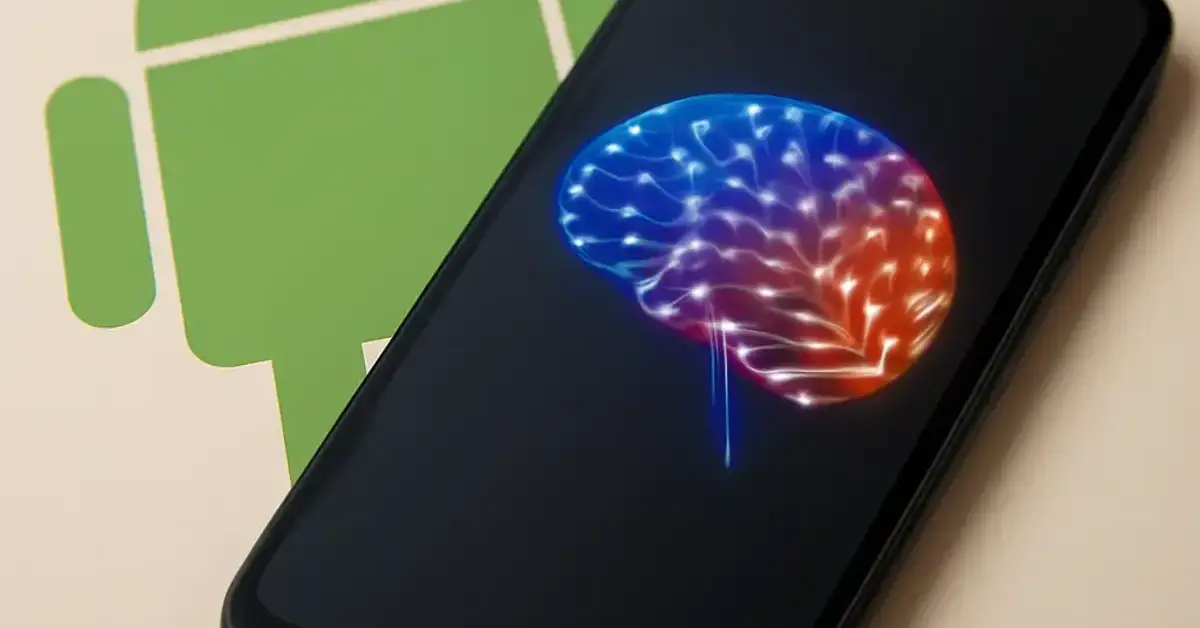
To understand how Google Is Reinventing the Android AI Experience, it helps to first define what that experience actually means. The Android AI experience is the sum of all intelligent features embedded into the operating system and Google’s core apps, designed to anticipate your needs and reduce friction. It includes everything from AI assistants like Google Gemini to on-device machine learning that powers Google Photos search, live captions, and adaptive battery management. The goal is an AI integration that feels invisible—AI that helps you without you having to ask.
The Shift from Reactive to Proactive
Traditional digital assistants waited for your command: “Set a timer,” “Play music,” “Call Mom.” The new Android AI model is proactive. It learns from your routines, uses AI personalization to suggest actions before you think of them, and even completes multi-step tasks with a single request thanks to generative AI. For example, you can ask Gemini to “find the best Thai restaurant near me that’s open now and text the address to Sarah,” and it handles every step seamlessly.
How Gemini Live Is Changing the AI Assistant Game
Google Gemini is the beating heart of the new AI experience on Android. Unlike earlier versions of the Google Assistant, Gemini is a true conversational AI that can process text, images, audio, and video simultaneously—a capability known as multimodal AI. This means you can point your phone camera at a plant, ask Gemini what it is and how to care for it, and receive a detailed answer without ever typing a word.
Gemini Live: Real-Time, Context-Aware Conversations
The Gemini Live mode enables fluid, natural dialogues. You can interrupt, clarify, or change topics mid-conversation, and Gemini remembers the context. This is a huge leap from the rigid back-and-forth of older voice assistants. On Pixel devices, Gemini Live can even use information from your Gmail, Google Maps, and Google Photos to answer questions like “When is my flight tomorrow?” or “Show me my favorite beach photos from last summer.”
On-Device and Cloud AI: A Hybrid Approach
One of the smartest moves in this reinvention is the hybrid architecture combining on-device AI and cloud AI. Simple tasks like suggesting replies in Chrome or identifying a song happen instantly on your phone, protecting AI privacy. More complex requests—like generating a full meeting summary from a long email thread—leverage the cloud for extra horsepower. This balance ensures speed, battery efficiency, and AI security.
How Google Is Reinventing the Android AI Experience Across the Ecosystem
The reinvention isn’t confined to the phone itself. Google Is Reinventing the Android AI Experience across the entire Google ecosystem, making every smart device smarter and every interaction more cohesive.
Google Workspace: AI Productivity Inside Your Apps
Google Workspace is now deeply infused with generative AI. In Gmail, you can use “Help me write” to draft professional emails from a few bullet points. In Google Docs, Gemini can summarize documents, brainstorm ideas, or rewrite sections for tone. Chrome uses AI to compare products across tabs and automatically generate a comparison summary. These tools don’t just save time—they fundamentally change how you work on mobile.
Google Photos: Smarter Search and Edits
Google Photos has long used AI for search, but the new experience goes further. With AI features like Magic Editor and Photo Unblur, you can remove unwanted objects, reframe shots, or enhance old low-resolution images. The AI understands the content of your photos—it knows the difference between a “dog” and a “golden retriever,” and can group memories by event, location, or even mood.
Google Maps: AI-Powered Routing and Discovery
Google Maps uses AI innovation to provide more accurate route predictions, showing you which lane to be in for an upcoming turn or suggesting a detour to a highly rated restaurant at lunchtime. The Immersive View feature, powered by multimodal AI, combines billions of images and data points to let you “fly through” a city before you arrive.
Wear OS and Android Auto: AI on the Go
Wear OS smartwatches now use on-device AI to generate smart replies based on your communication history and heart rate context. Android Auto leverages Gemini to summarize incoming messages and suggest calendar-based navigation shortcuts without you touching the screen. This cross-device integration ensures the AI experience follows you from wrist to dashboard.
How Android AI Compares with Apple Intelligence
No discussion of AI-powered smartphones is complete without a comparison to Apple’s emerging AI strategy. While Apple focuses heavily on on-device processing and privacy-by-design, Android AI takes a more open, ecosystem-wide approach. The key advantage for Google is its cloud infrastructure: Gemini models are far larger and more capable than what runs on a single A17 chip. This allows Android to handle tasks like real-time translation across apps or multi-document analysis that Apple’s system cannot yet match. However, Apple’s tight integration between hardware and software means its AI features often feel more polished. The battle is really about AI personalization (Google) vs. AI privacy (Apple). For a related guide, see What the Google and Apple AI Dispute Means for Users.
| Aspect | Google Android AI | Apple Intelligence |
|---|---|---|
| Core Model | Google Gemini (multimodal, massive scale) | On-device models with limited cloud fallback |
| Ecosystem Integration | Works across Android, Chrome, Workspace, Wear OS, Auto | Primarily within Apple’s walled garden |
| Generative AI | Full generative capabilities (text, image, code, audio) | Summarization and smart replies only |
| Privacy Approach | Hybrid on-device + cloud with federated learning | Strict on-device first, cloud minimized |
| Third-Party Access | Open via APIs and app actions | Restricted to Apple apps initially |
AI Features You Can Expect in Future Android Updates
Looking ahead, Google Is Reinventing the Android AI Experience with a clear roadmap. Expect deeper integration of AI workflows that span apps—imagine telling Gemini to “plan a weekend trip to the mountains, book a pet-friendly cabin under $200/night, and create a packing list.” Future updates will also bring more on-device AI improvements for operating system updates, enabling features like real-time language translation within any app and live wallpaper that adapts to your schedule and weather.
What the Future Holds for Mobile AI
The future of AI on Android is not just about adding more features—it’s about creating a seamless, anticipatory user experience. AI innovation will focus on context awareness: your phone will know when you’re in a meeting, driving, or sleeping, and adjust its behavior accordingly. AI productivity tools will become more agentic, handling multi-step tasks on your behalf. And AI technology will enable smart devices in your home, car, and office to all communicate through a single, intelligent digital assistant.
How Google’s AI Strategy Shapes Mobile Productivity and Connected Devices
Ultimately, Google Is Reinventing the Android AI Experience to redefine mobile computing. By weaving AI features into every layer of the Android ecosystem, from Google Search to Android Auto, Google is building an environment where AI assistants are not just tools but partners in daily life. This strategy positions Android as the most intelligent, adaptable mobile platform, capable of growing with users across technology innovation cycles. For developers, this opens new opportunities to build apps that leverage multimodal AI and AI personalization. For consumers, it means a phone that truly understands them.
Useful Resources
- Official Google Blog: Android AI Update 2025 — Learn about the latest AI features coming to Android and Google apps.
- Google DeepMind: Gemini AI Model Overview — Technical details on the multimodal capabilities of Gemini.
Frequently Asked Questions About Google Is Reinventing the Android AI Experience
What is Google’s Android AI experience?
The Android AI experience is the collection of intelligent features powered by machine learning and generative AI that are built into Android OS and Google apps, including Google Gemini, Google Photos, and Google Maps, designed to make interactions proactive, personalized, and context-aware.
How is Google reinventing the Android AI experience?
Google is reinventing the Android AI experience by replacing the old command-based assistant with a multimodal, conversational AI (Gemini) that understands text, images, and audio, and by deeply integrating generative AI across apps, services, and devices for proactive, multi-step task completion.
How does Google Gemini improve Android devices?
Google Gemini improves Android devices by enabling natural conversations, real-time context recall, and complex task handling (like summarizing documents or editing photos) that go far beyond what traditional digital assistants could do.
What AI features are available on Android smartphones?
Current AI features on Android include Gemini Live for conversation, Magic Editor and Photo Unblur in Google Photos, AI-powered email drafting in Gmail, smart reply and summarization across apps, live captions, and AI-driven routing in Google Maps.
How does Android AI compare with Apple Intelligence?
Android AI offers broader generative capabilities and deeper cross-app integration thanks to Google’s cloud infrastructure and open ecosystem, while Apple Intelligence prioritizes strict on-device privacy and tighter hardware-software optimization.
What role do on-device and cloud AI play in Android?
On-device AI handles latency-sensitive and privacy-critical tasks like suggestions and voice recognition locally, while cloud AI handles heavy computational needs like image generation and complex language understanding, creating a fast and capable hybrid system. For a related guide, see 7 Ways Apple Is Expanding Its AI Ecosystem (And Why It Matters for Your Devices).
How does Gemini integrate with Google’s apps and services?
Gemini integrates directly with Gmail, Google Docs, Google Maps, Google Photos, Chrome, and other Google apps through APIs and built-in extensions, allowing it to read, search, and act upon your data across the entire Google ecosystem.
What benefits do Android users gain from Google’s AI ecosystem?
Android users benefit from a seamless, personalized experience where AI helps manage emails, edit photos, navigate traffic, control smart home devices via Wear OS, and automate multi-step workflows across devices without switching contexts.
What AI features can users expect in future Android updates?
Future updates will bring more agentic AI that can complete complex tasks across apps, deeper on-device personalization, real-time translation within any app, and adaptive interfaces that change based on user context and environment.
How will Google’s AI strategy shape the future of Android, mobile productivity, and connected devices?
Google’s AI strategy will make Android the central hub of a connected ecosystem where phones, watches, cars, and smart home devices all share a unified, proactive AI that anticipates user needs, streamlines workflows, and enhances mobile productivity across all devices.
Is Google Gemini available on all Android phones?
Google Gemini is available on most Android phones running Android 10 or later via the Google app, but the deepest integration—including Gemini Live and advanced multimodal features—is optimized for Pixel devices and newer flagship models.
Does Android AI work offline?
Yes, many AI features work offline thanks to on-device AI processing, including smart replies, live captions, camera scene detection, and text suggestions. Cloud-dependent features like image generation and deep document analysis require an internet connection.
Is my data safe with Google’s AI assistant?
Google prioritizes AI privacy and AI security by processing as much data as possible on-device, using federated learning, and allowing users to control their data through privacy settings. Google does not use personal content from Workspace or Photos for training models without permission.
How do I enable Gemini on my Android phone?
You can enable Gemini by updating the Google app to the latest version, then opening the app and following the prompt to switch from Google Assistant to Gemini. On Pixel devices, you can also remap the power button to launch Gemini.
Can Gemini replace Google Assistant completely?
Gemini is designed to eventually replace Google Assistant on Android, but currently it supports most core assistant functions like timers, alarms, and smart home controls. Google continues to add missing features to reach full parity.
Does Android AI work with third-party apps?
Yes, Android AI works with third-party apps through Android’s AI-powered app actions and Gemini extensions. Developers can integrate Gemini into their apps using Google’s AI SDK, enabling features like in-app search, smart replies, and content summarization.
What is Gemini Live?
Gemini Live is a conversational mode within Google Gemini that allows for fluid, real-time voice dialogues with interruptions, topic changes, and context retention, making interactions feel more natural than traditional voice assistants.
Will Android AI features drain my battery?
Google has optimized on-device AI models to run efficiently on modern hardware, using dedicated AI cores (like Google Tensor chip) to minimize battery impact. Cloud tasks are offloaded to servers, preserving phone battery life.
How often does Google update its AI features on Android?
Google updates AI features through monthly Feature Drops for Pixel devices and through quarterly system updates for other Android phones. The Gemini app itself receives updates every few weeks via the Play Store.
Can Android AI help with accessibility?
Absolutely. Android AI powers live captions for the deaf and hard of hearing, Lookout for visually impaired users, and voice access features that let users control their phone entirely with voice commands, all powered by on-device machine learning.